

Flugia is an AI workforce platform where AI agents act as virtual coworkers, each responsible for a different business department.
Instead of forcing businesses to build complex AI workflows, Flugia handles the complexity behind the scenes while users simply connect their existing tools and let AI start working.
Rather than replacing employees, Flugia acts as an AI coworker, handling repetitive operational tasks while empowering teams to focus on work that creates real business value.
My role focused on shaping the product experience from research to interface design, ensuring businesses could confidently adopt AI with minimal learning.
Businesses are excited about AI, but very few know how to integrate it into their daily operations.
Most AI products require technical knowledge, complicated automation builders, or prompt engineering.
We saw an opportunity to remove that complexity entirely.
The goal wasn't to build another AI tool.
It was to build AI coworkers.
We followed a Lean UX approach throughout the project.
Think. Make. Check. Repeat.
Instead of spending months designing upfront, we continuously validated ideas through interviews, internal testing, prototypes, and conversations with potential clients.
Through research we discovered several recurring patterns.

• Businesses want to implement AI but don't know where to begin.
• AI agents and automation workflows feel too technical.
• Companies are comfortable letting AI handle repetitive business tasks if setup is simple.
• Decision makers value clear insights over complicated dashboards.
• Simplicity and trust matter more than having hundreds of features.
AI platforms often expose users to technical concepts like workflows, automations, and models, creating unnecessary cognitive load for non-technical users.
Based on our research, I restructured the platform around how businesses already think and operate rather than how AI systems work.
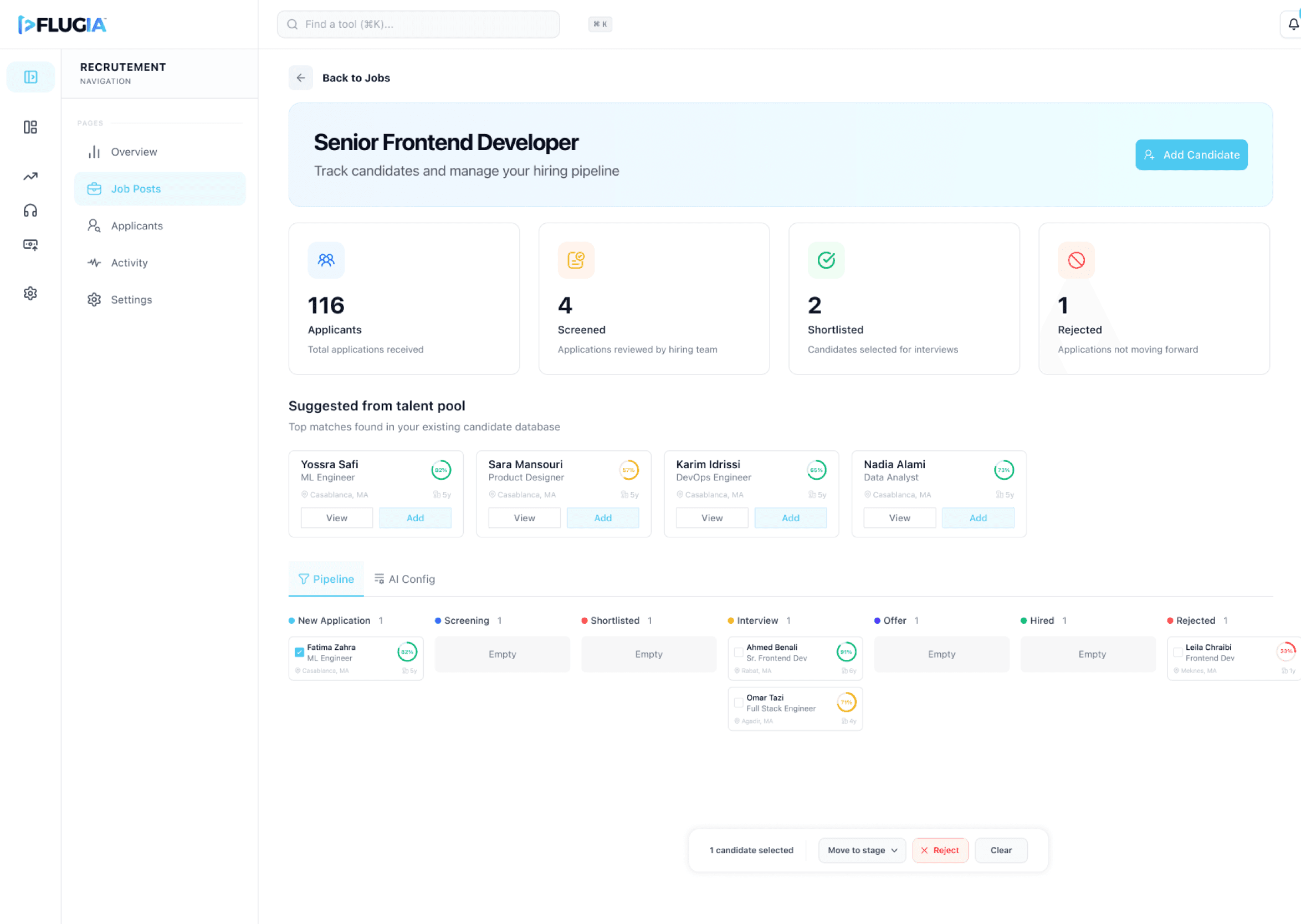
Instead of navigating through AI tools, users interact with familiar business departments such as Marketing, Sales, and Support. Each department is represented by an AI coworker responsible for that function, creating a clear mental model, reducing cognitive load, and making navigation more intuitive.
The information architecture was designed to:
Reduce cognitive load by using familiar business terminology.
Surface high-priority tasks and insights first.
Support simple navigation across multiple AI departments.
Scale as new departments and features are introduced.
The result was a navigation system that allowed users to focus on running their business, while the platform handled the complexity behind the scenes.
Our challenge became clear.
How might we help businesses adopt AI without making them learn AI?
Instead of asking users to build automations, configure workflows, or write prompts, Flugia would manage everything in the background.
Users only needed to connect their business accounts.
From there, AI coworkers would guide them, perform tasks autonomously, and present recommendations that required approval only when necessary.
We humanized every AI agent.
Instead of presenting abstract AI models, each department became a virtual manager responsible for specific business functions.
This made the platform feel approachable while giving users a clear mental model of who handles what.
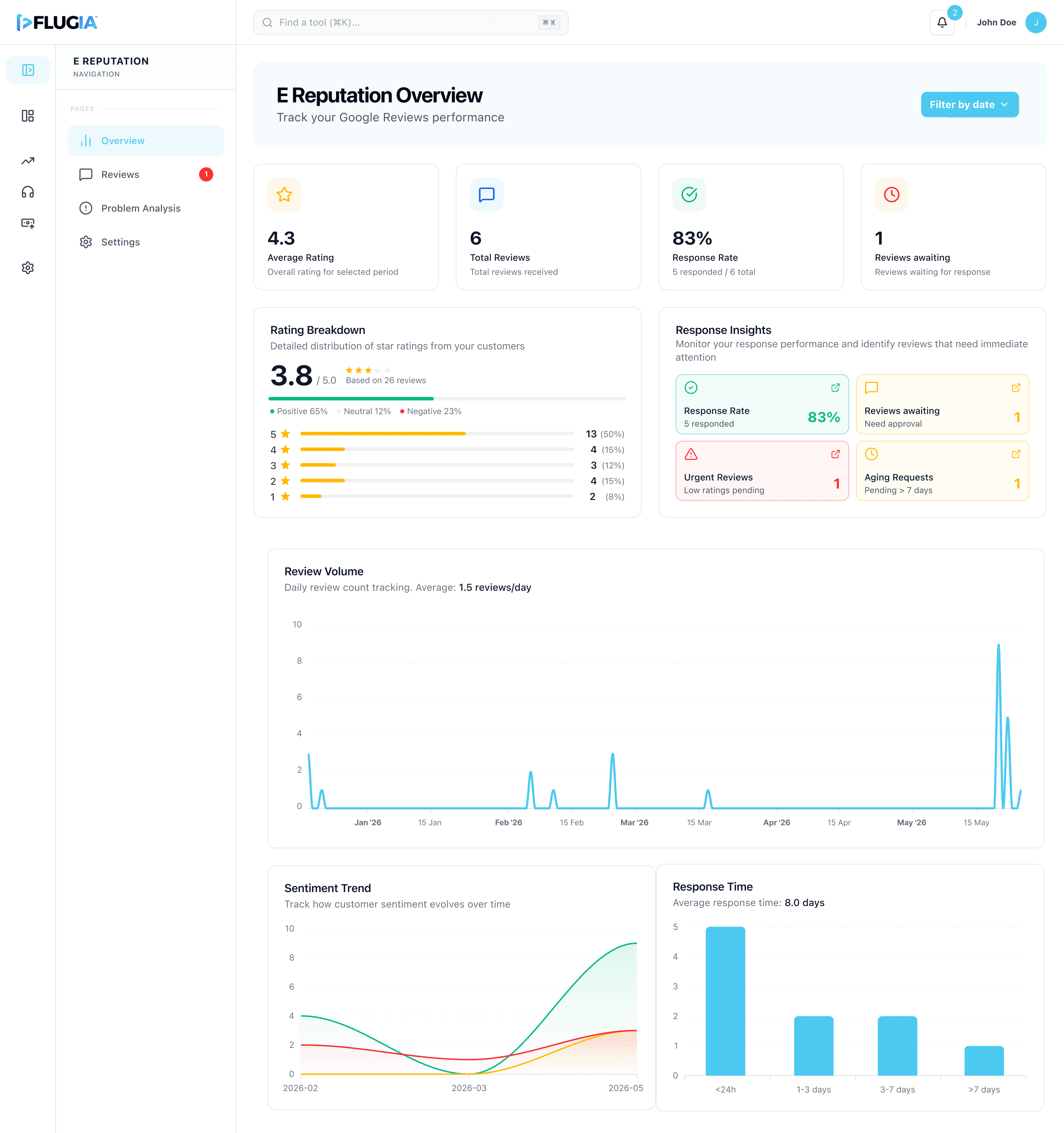
Every department focuses on a different business objective.
Marketing
This case study highlights representative workflows from the product. Additional interfaces, edge cases, and design explorations have been omitted due to confidentiality but can be discussed where appropriate.


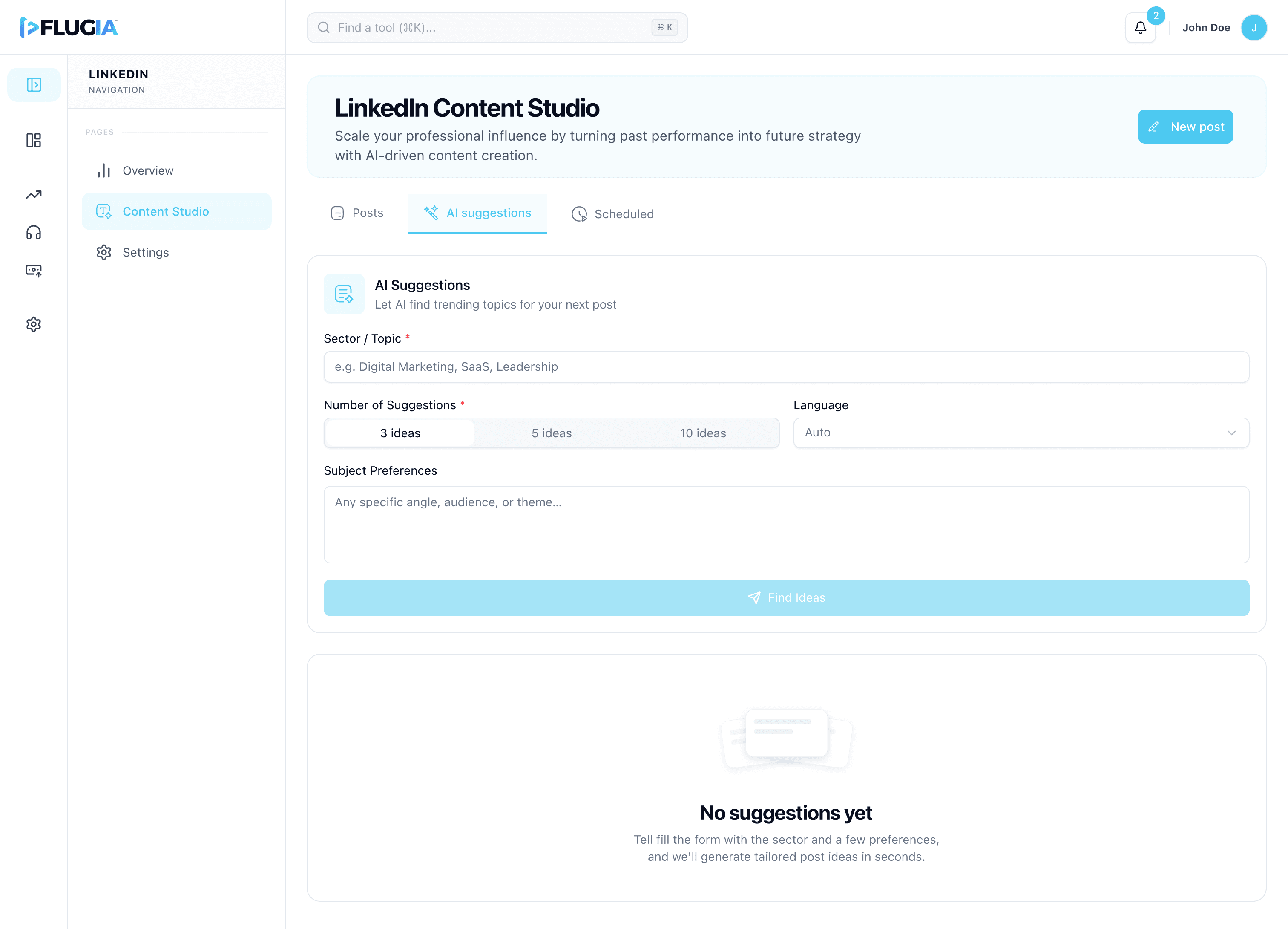
Sales
• Prospecting • Sales Campaigns
This case study highlights representative workflows from the product. Additional interfaces, edge cases, and design explorations have been omitted due to confidentiality but can be discussed where appropriate.


Support
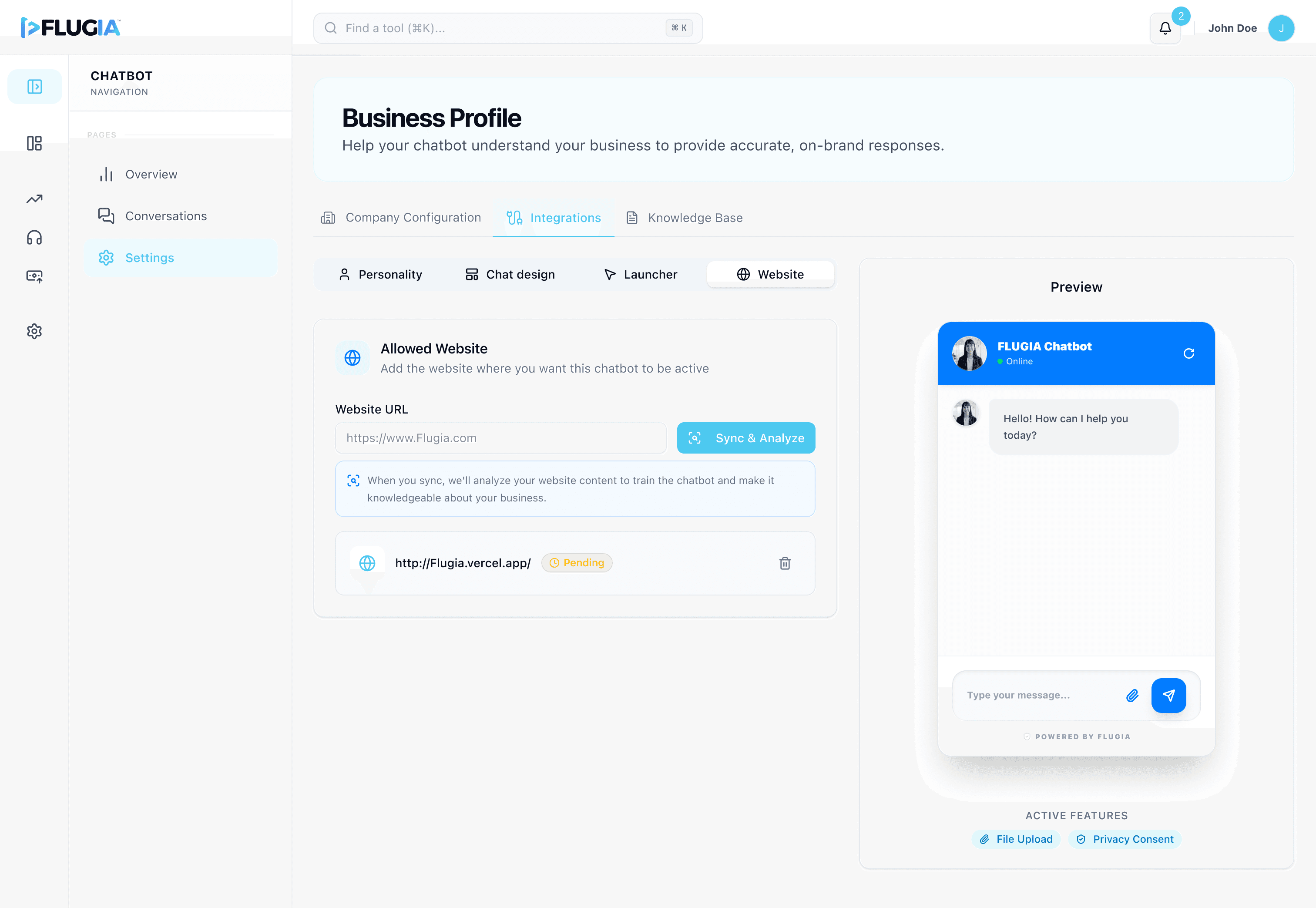
• AI Phone Agent • AI Chatbot
This case study highlights representative workflows from the product. Additional interfaces, edge cases, and design explorations have been omitted due to confidentiality but can be discussed where appropriate.
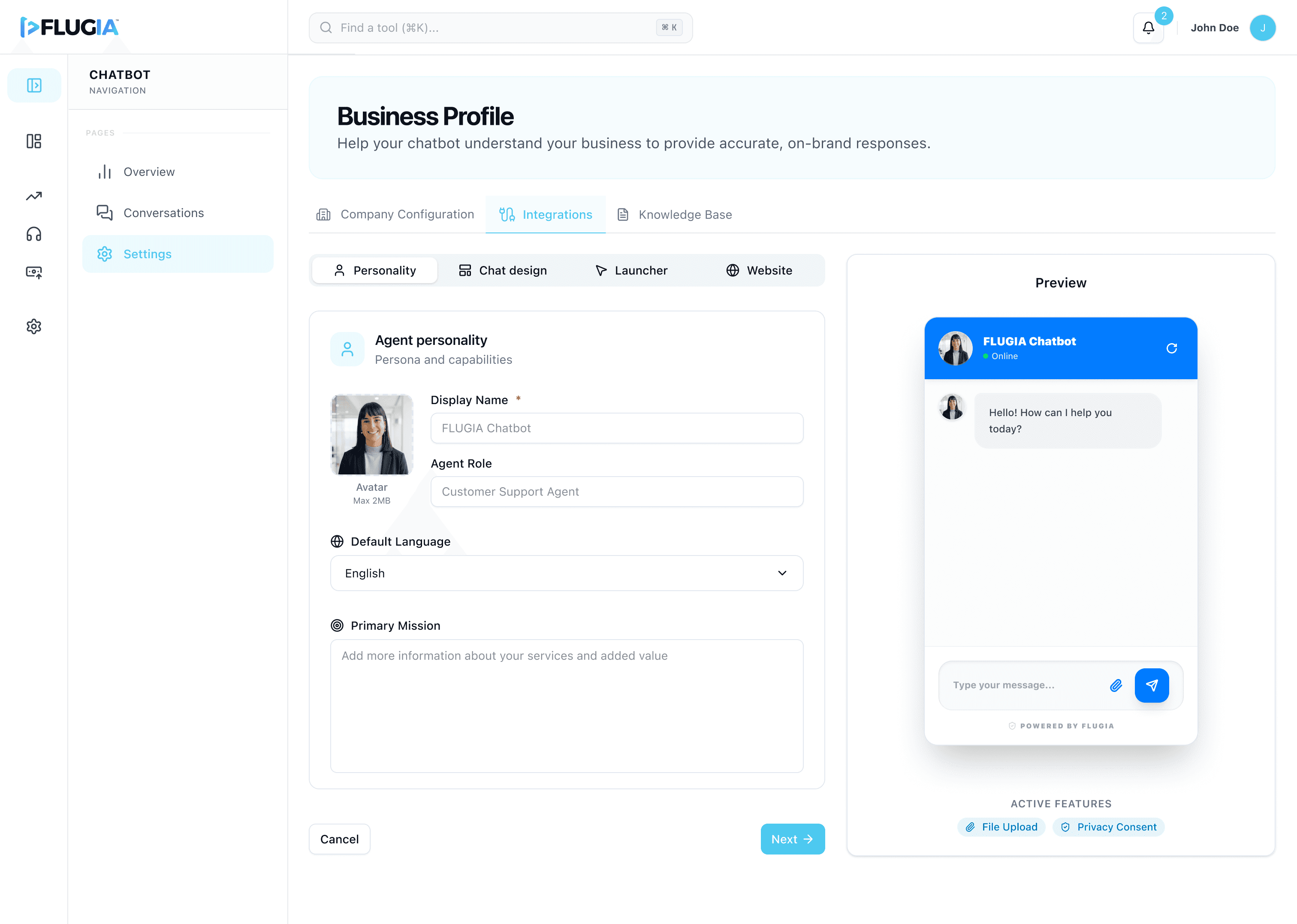



Together, these AI coworkers help businesses monitor reputation, answer customer calls 24/7, improve online visibility, generate leads, and support customers without requiring technical expertise.
One of the biggest product challenges wasn't deciding what to build.
It was deciding what not to build.
Building every AI department would significantly delay the product.
Using research findings, I identified which departments businesses considered the most valuable for an initial release.
Rather than building everything at once, we prioritized:
Marketing
Sales
Support
This allowed the team to validate the core product faster while creating a foundation for future departments.
Working with AI meant every feature needed to comply with European regulations.
Throughout the design process, we reviewed product decisions against both the GDPR and the EU AI Act, ensuring features respected privacy, transparency, and responsible AI practices before implementation.
This influenced several design decisions around data collection, user permissions, and AI-generated recommendations.
Because Lean UX was central to the project, testing never happened only at the end.
We continuously tested navigation, user flows, and interactions throughout development.
The biggest improvements came from simplifying navigation, which had been identified as an early usability pain point.
Beta testing showed that businesses were able to:
Integrate their accounts with little guidance.
Understand AI insights quickly.
Navigate departments with confidence.
Take action directly from AI recommendations.
One company even began actively managing its Google Reviews using the E Reputation feature while collecting customer feedback through the Support department, something they weren't doing before adopting Flugia.
Today, Flugia's MVP is in beta testing.
The platform has already secured contracts with multiple businesses across different industries in Belgium.
More importantly, the project validated our original hypothesis.
Businesses are ready to adopt AI when the experience focuses on simplicity instead of technical complexity.
This project strengthened my approach to product design beyond creating polished interfaces.
I learned how research drives prioritization, how Lean UX accelerates decision making, and how simplifying complex technology can become a product's biggest competitive advantage.
Rather than designing features, I focused on designing confidence, helping businesses feel comfortable working alongside AI.


Designing the Operational Backbone of a Global Enterprise
How I transformed fragmented budgeting workflows into a centralized platform that supports complex operational planning, permission-based collaboration, and real-time visibility across multiple levels of management.
